What Photo Works Best for a Pet Portrait?
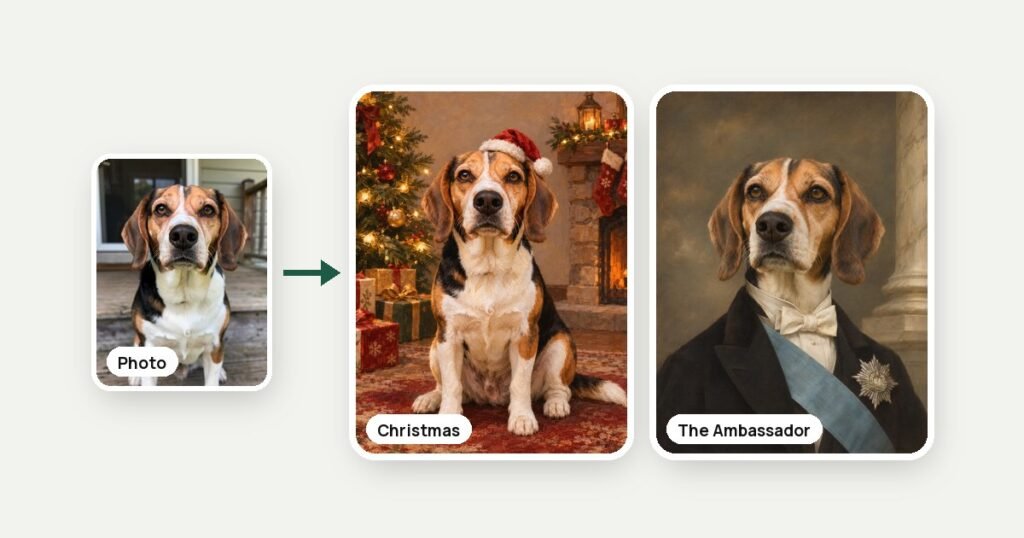
The best photo for a pet portrait is a sharp, close photo of your pet’s face taken in daylight, with the phone at the pet’s eye level and no flash or filters. One regular phone photo per pet is enough, up to 4 pets in one picture. If the eyes and nose are in focus and the coat color looks natural, you see two versions of your art in about 45 seconds.
Most people already have the right photo somewhere in their camera roll. The trouble is choosing it: the cutest photo is not always the clearest, and a portrait can only show details that the photo shows. This guide explains what to look for, how to take a new photo if you need one, and what to do when the only photo you have is old, dark or blurry.
Everything here comes from how our generator at PrintyMix works with photos of dogs, cats and people. The same rules help with any custom portrait, whether it is made by AI or by an artist.
What makes a photo good for a pet portrait?
A photo is good for a pet portrait when the face is sharp, the light is even and the whole head is in the frame. Those three things matter more than the background, the camera or the pose, because the likeness comes from the eyes, the nose, the ears and the markings on the coat.
| What to check | Works well | Gives a weaker likeness |
|---|---|---|
| Focus | Eyes and nose are sharp | Blurred face, motion blur from a moving pet |
| Light | Daylight from a window or outside in the shade | Flash, a dark room, strong yellow lamp light |
| Angle | Phone at the pet’s eye level | Photo from above, which makes the head look big |
| Framing | The whole head and ears are in the frame | Ears or chin cut off at the edge |
| Distance | The pet fills a good part of the photo | A small pet far away in a big room |
| Color | Original photo without filters | Filters, black and white photos, heavy edits |
| File | The original photo from your phone | A screenshot of a compressed photo from social media |
You do not need a professional photo. A recent phone takes more than enough detail for a print. What you need is a moment when your pet is calm and the light is right.
How sharp does the photo need to be?
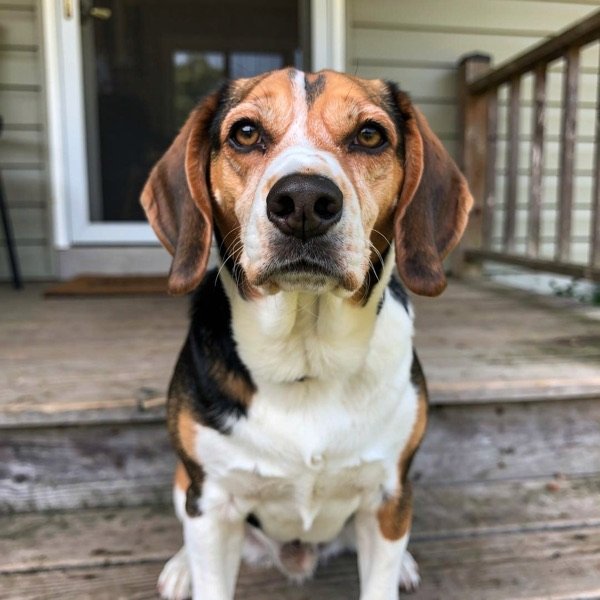
The eyes need to be sharp; the rest of the photo can be a little soft. People recognize their pet by the eyes and the shape of the face first, so a portrait made from a photo with crisp eyes feels right even if the tail or the background is blurry.
To check a photo, open it on your phone and zoom in on the eyes. If you can see the catchlight (the small reflection of the window in the eye) and separate hairs around the nose, the photo is sharp enough. If the eyes look like soft dark spots, pick another photo.
Where the photo comes from matters too. A photo saved from social media or a messenger is often compressed and smaller than the original. If you can, use the original file from the phone that took it. For a gift, ask the owner to send the photo by email or AirDrop instead of taking a screenshot.
What kind of light works best?
Soft daylight works best: a window to the side of your pet, or outside in the shade. It shows the real color of the coat and the eyes without hard shadows. Direct midday sun and flash are the two most common reasons a good pose gives a weak result.
- Window light. Put your pet near a window and stand with your back to the side wall, so the light falls on the face. A windowsill is the classic spot for cats.
- Outside in the shade. Under a tree or on a porch, the light is even and the eyes stay open. In full sun most pets squint.
- Cloudy days. Clouds work like a huge soft box. They are especially good for white and cream coats.
- No flash. Flash flattens the fur and makes the eyes glow green or white. The art may repeat that glow.
- Careful with evening lamps. Warm indoor light turns a gray coat beige and a white coat yellow. If that is the only photo, type the true coat color in the optional detail field, for example: a gray coat.
Which angle and distance give the best likeness?
Hold the phone at your pet’s eye level and come close enough that the pet fills most of the photo. Getting down to their level is the single easiest change that makes a photo better, because it keeps the proportions of the head and body natural.
A few practical tips:
- Sit or kneel on the floor for a dog, or put the phone on the same shelf where the cat is sitting.
- Front view or a slight turn of the head works best. A full profile hides one eye and changes how the face reads.
- Head and chest are enough for a portrait like The General or Classic Oil Portrait. For a scene where the pet sits on a throne, by a Christmas tree or in a bath, a photo of the whole body helps the art keep the right shape.
- Do not use the zoom on older phones; it lowers the quality. Walk closer instead.
- Take many shots in a row. Burst mode or simply holding the button gives you dozens of frames, and one of them will have open eyes and ears up.
Does the background or other people in the photo matter?
The background matters very little, because the art places your pet in a new scene. What matters is that your pet is clearly separated from the background: a black dog on a black sofa or a tabby cat on a patterned rug can blend in, and then the edges of the body are harder to read.
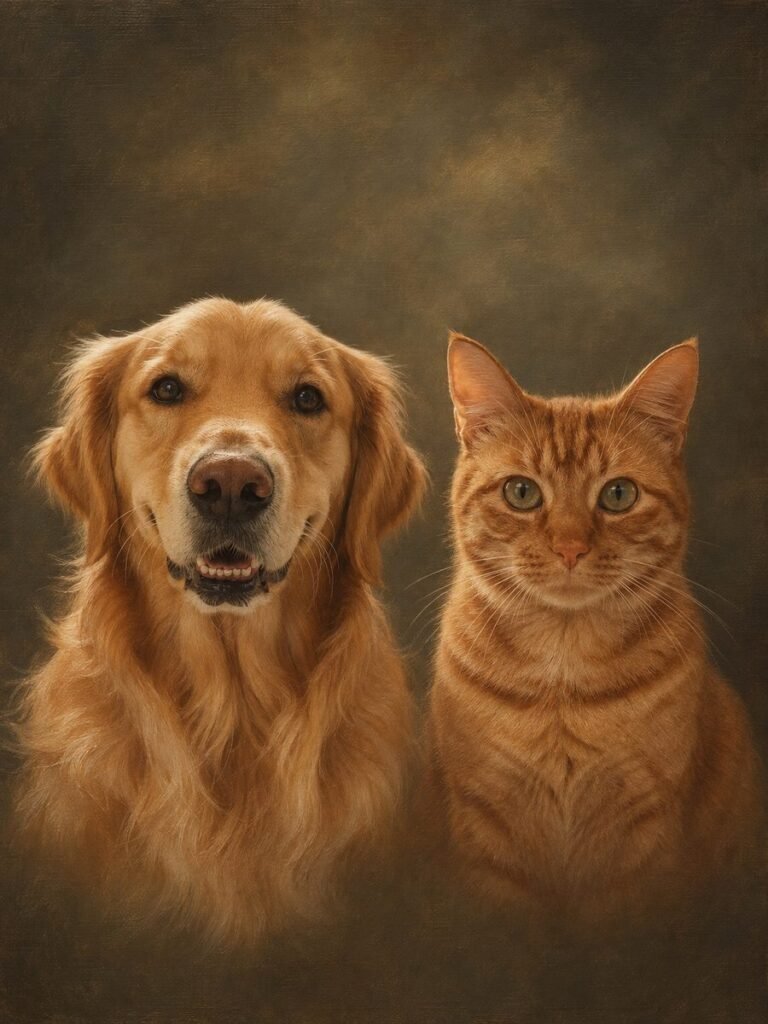
Other people in the photo are fine. With a pet idea, such as The King or Christmas Pet Art, the generator draws only the pets, so a photo of you holding your dog or a child hugging the cat works. Other animals in the photo are kept: a dog and a cat sitting together become a picture of both. That is why it is better to choose a photo where only the pets you want in the picture are visible.
If you do want people in the picture, choose an idea made for them, such as Pet Mom Portrait, Pet Dad Portrait or Christmas Family Portrait. Then everyone in your photos is drawn, and the generator does not add anyone who is not there.
Toys, collars and bandanas usually stay in the art if they are clearly visible. If your pet always wears a certain collar and you want it in the portrait, pick a photo where it can be seen, or type it in the optional detail field: a red collar.
How do you photograph dark, white and long-haired pets?
Dark pets need more light, white pets need softer light, and long-haired pets need a photo where the face is not hidden by fur. These three groups are where most photos fail, and a small change in where you stand usually fixes it.
Black and dark brown coats. In a dim room a black coat turns into one dark shape without texture, and the art cannot add details the photo does not show. Take the photo next to a bright window or outside on a cloudy day. Avoid a dark background behind a dark pet.
White and cream coats. In direct sun white fur loses all detail and looks flat. Shade, a cloudy day or a north-facing window keep the texture of the fur.
Long hair. For a Shih Tzu, a Persian cat or a doodle, brush the fur away from the eyes before the photo, or choose a photo taken right after grooming. If the eyes are hidden in the photo, they will be guessed in the art.
Two-colored faces. Huskies, tuxedo cats and Boston terriers have strong contrast on the face. Even light from the front works better than light from one side, which can hide half of the markings.
How do you get a good photo of a dog, and of a cat?
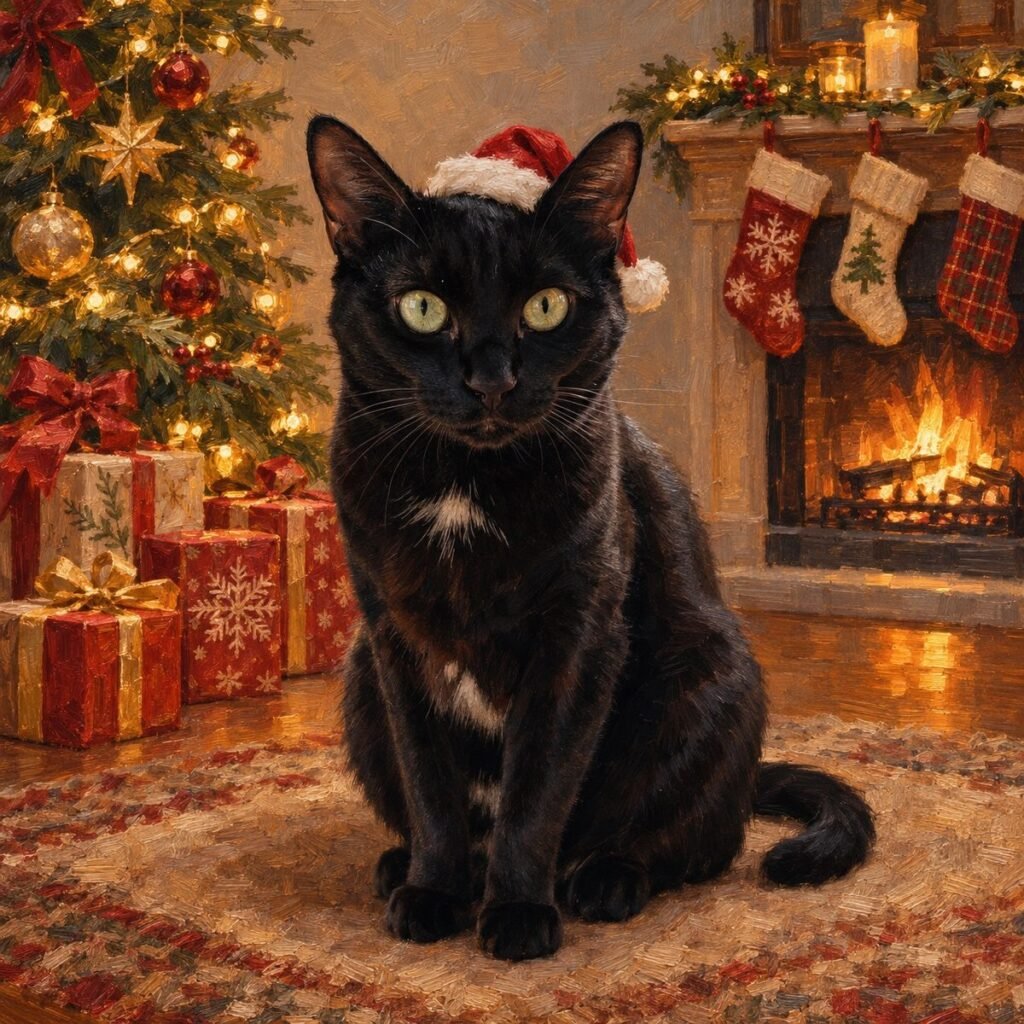
Dogs are easiest to photograph after a walk, when they are tired and calm; cats are easiest when they choose a spot themselves and settle there. In both cases, wait for the moment instead of trying to pose the pet.
Dogs
- Go for a walk or play first, then take photos while the dog rests.
- Hold a treat or a squeaky toy just above the phone. The dog will look into the camera and put the ears up.
- Ask a second person to call the dog’s name from behind you.
Cats
- Photograph the cat on a favorite windowsill or blanket, after a meal or during a nap.
- Crinkle a treat bag or move a feather toy above the phone for a second of attention.
- Keep the phone ready and take a series; cats rarely hold the same pose twice.
If you are making the portrait as a gift and cannot take a photo yourself, our guide to gifts for cat lovers explains how to get a usable photo without spoiling the surprise.
Can you use several photos, one for each pet or person?
Yes. For two or more pets, the best result comes from one clear photo of each pet, up to 4 photos for a pet idea. For people ideas, upload one photo of each person, up to 6 photos in all, and add a photo of the pet if the pet is in the picture too. You do not need a photo where everyone sits together.
Separate photos often work better than one group photo, because in a group photo each face is small and someone always looks away. A few rules for several photos:
- One photo per pet or person. Two photos of the same dog may turn into two dogs in the picture.
- Similar light in all photos. If one photo is from a dark evening, the coat color of that pet may come out wrong.
- Every face clear. The same rules as above apply to each photo: sharp eyes, daylight, eye level.
At PrintyMix the price does not change with the number of pets or people. Read more in our guide to Christmas gifts for dog lovers, which also covers getting photos for a surprise.
Which photo fits which idea?
Different ideas need different photos. Scenes where the pet sits on a throne, by a Christmas tree or in a bath need a photo that shows the body, ideally sitting. Portraits of the head and chest, like Classic Oil Portrait or The General, work from a close-up of the face.
- The King, The Queen, Christmas Pet Art, Bath Time, Pool Party. Choose your sharpest, best lit photo where the pet sits or lies. A sitting pet in the photo usually gives a more natural throne or Christmas portrait.
- The General, The Admiral, The Ambassador, Classic Oil Portrait. A clear front view of the head and chest is enough, because the uniform or the dark background is created around it.
- Pet Memorial Portrait. Any photo where the face is sharp, including an old or scanned one. The pet rests on soft clouds, so a lying pose fits well.
- Pet Mom, Pet Dad and Family and Pet portraits. A clear photo of each person and of the pet, faces toward the camera.
If you have two good photos, try the first one and compare the two versions you get, then use a free try on the other photo, which gives you two new versions as well. You will see at once which one looks more like your pet. You can upload a photo here and pick an idea before you order.

What if you only have an old or imperfect photo?
Try it anyway. The first try is free and gives two versions in about 45 seconds, so you can see whether the photo is good enough before you decide anything. The generator also warns you if a photo looks too dark or the pet is very small in it. Many older photos work well if the face is sharp, even when the colors are faded or the background is messy.
If the first try does not look right, there are a few ways to improve the result:
- Try another photo. Look through backups, cloud albums, old emails and messages. The same moment is often saved in several versions.
- Use a frame from a video. Pause a video at a moment when the face is still and take a screenshot. Videos often catch a better expression than photos.
- Scan a printed photo. Use a scanner app on your phone in daylight, flat on a table, without glare from a lamp.
- Describe what is off. If the eye color or a white patch is wrong, say what to change in plain words, for example “make the eyes amber” or “add a white chest”, and get a new version.
- Make a new version. Each version of the same idea is a little different, and one of them may catch the face better. Your first try, and every new idea or new photo after it, gives two versions, and your email adds 4 more tries.
Once you have a version you like, you can order it on canvas, as a poster or framed, or take the digital file. You can read the whole process step by step on the How It Works page.
Frequently Asked Questions
Can I use a regular phone photo for a pet portrait?
Yes. A regular phone photo is enough if the eyes are sharp and the light is good. The original file from the phone works better than a screenshot from social media.
Is a photo from above okay?
It works, but the head will look bigger and the body shorter in the art. For the most natural proportions, hold the phone at your pet’s eye level.
Can there be people in the photo with my pet?
Yes. With a pet idea the generator draws only the pets, so a photo of you hugging your dog is fine. If you want to be in the picture too, choose Pet Mom Portrait or Pet Dad Portrait and add a photo of yourself.
My pet is black. Will the portrait show any details?
It will if the photo shows them. Take the photo next to a bright window or outside on a cloudy day, so the texture of the fur is visible, and avoid a dark background.
Can I make a portrait from an old printed photo?
Yes. Scan it with a phone scanner app in daylight, without glare, and use your free first try. If the face is sharp in the scan, faded colors and small scratches are not a problem.
How many photos do I need?
One per pet. A single clear photo is enough for one pet; for two to four pets, upload one photo of each, or one photo with all of them. People ideas take up to 6 photos.
Have a good photo? Try it now
Upload it and see two versions of your art in about 45 seconds. The first try is free, no card needed.
Read also
 GuidesWhat Size Should a Pet Portrait Be? A Guide by Wall and RoomWhich size to choose for a pet portrait: 10 canvas and poster sizes from 8 × 10 to 24 × 36 inches, where each…
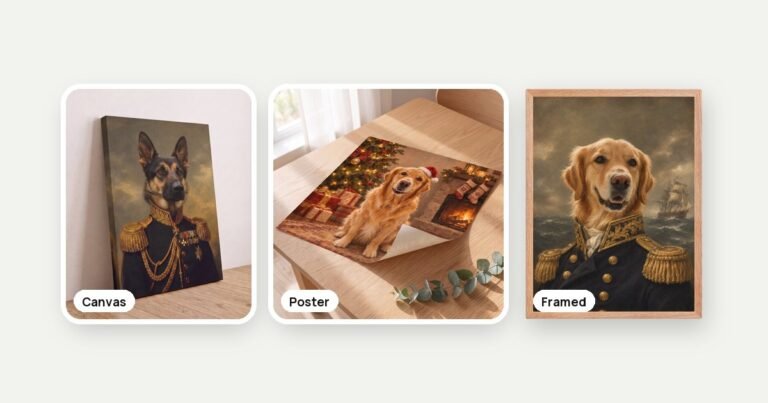 GuidesShould You Print a Pet Portrait on Canvas, as a Poster or Framed?Canvas, poster or framed print for a pet portrait: how they differ, how they look on the wall and what they cost. Canvas from…
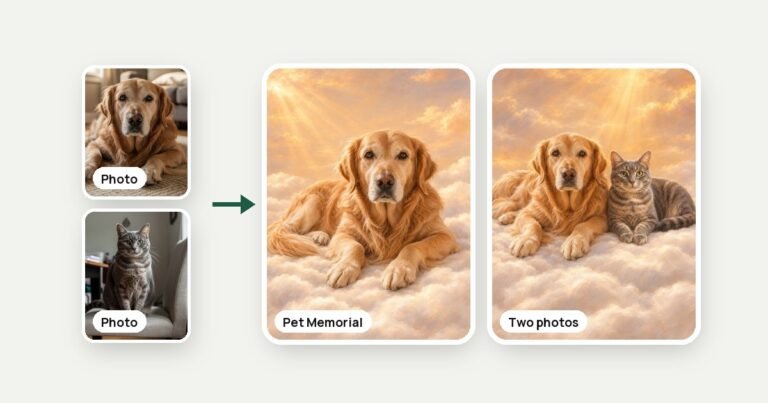 GuidesHow to Make a Memorial Portrait of a Pet You LostHow to make a memorial portrait of a dog or cat you lost: choosing the photo, a calm idea, canvas from $45 or poster…